
The Problem
A law firm needs to publish hundreds of files that:
- Anyone can read (publicly available)
- No one can modify or delete before a designated future date
Read-only IAM policies won’t work: any admin could change them.
The Solution
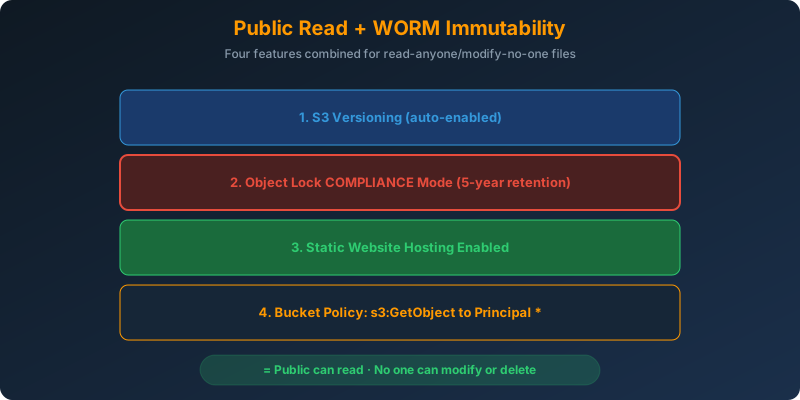
Combine four features:
- S3 versioning (prerequisite for Object Lock)
- Object Lock retention period (WORM enforcement)
- Static website hosting (public read access)
- Bucket policy granting
s3:GetObjectto*
How It Works
Step 1: Create the Bucket With Object Lock Enabled
Object Lock must be enabled at bucket creation. You cannot add it later.
1
2
3
4
aws s3api create-bucket \
  --bucket legal-public-records \
  --region us-east-1 \
  --object-lock-enabled-for-bucket
Versioning is automatically enabled when Object Lock is on.
Step 2: Set a Default Retention Period
1
2
3
4
5
6
7
8
9
10
11
aws s3api put-object-lock-configuration \
  --bucket legal-public-records \
  --object-lock-configuration '{
    "ObjectLockEnabled": "Enabled",
    "Rule": {
      "DefaultRetention": {
        "Mode": "COMPLIANCE",
        "Years": 5
      }
    }
  }'
Compliance mode is the strictest: no user, not even the root account, can delete or modify locked objects during the retention period.
Step 3: Enable Static Website Hosting
1
2
aws s3 website s3://legal-public-records \
  --index-document index.html
Step 4: Public Read Bucket Policy
1
2
3
4
5
6
7
8
9
10
{
  "Version": "2012-10-17",
  "Statement": [{
    "Sid": "PublicRead",
    "Effect": "Allow",
    "Principal": "*",
    "Action": "s3:GetObject",
    "Resource": "arn:aws:s3:::legal-public-records/*"
  }]
}
Only GetObject is granted. No one can PutObject, DeleteObject, or anything else, because Object Lock physically prevents it during retention.
Compliance vs Governance Mode
| Mode | Root Can Delete? | Authorized Users Can Bypass? | Use Case |
|---|---|---|---|
| Compliance | No | No | Regulatory retention (SEC, FINRA, HIPAA) |
| Governance | Yes | Yes (with s3:BypassGovernanceRetention) |
Testing, soft locks |
For “no one can modify,” always use compliance mode.
Why Not the Alternatives?
Static hosting + IAM read-only policies: IAM policies can be changed by admins or the root user. Not immutable.
Versioning + Lambda that restores modified objects: reactive, with a window where the object is changed. Also runs indefinitely, costing money.
Static hosting + folder-level Object Lock: Object Lock is applied per object, not per folder. You can set a bucket default retention, but folder-scoped retention does not exist as a concept.
Key Takeaways
- Object Lock must be enabled at bucket creation: no retrofit
- Versioning is a prerequisite for Object Lock (auto-enabled)
- Compliance mode is the only setting that no one can override, including root
- Public read + Object Lock = files anyone can read but no one can change
- Governance mode is for cases where you might need to override: never use it for regulatory WORM



 Never miss a story from us, subscribe to our newsletter